The Wandering Chile
Quick-service Mexican, pickup first
A made-up taco spot, built from nothing so you can see the whole job in one place: the name, the logo, the words on the menu, and a pickup order you can actually place.
The restaurant, address, hours and menu are made up. Ordering is a working demo: nothing is charged and no order is sent.
How I built it
The same steps your restaurant would go through.
Start with who it’s for
Before any design: students and people on a short lunch break, who want to order fast and pick up on the way. That decided everything after it, down to “pickup first” and a one-line promise: Big flavor. Quick stop.
Name, look and words
A color palette and two typefaces, the walking-chile mascot and badge, then every dish name and description written to match. A heat guide so nobody gets surprised.
Build it on a phone first
The ordering flow was designed on a phone screen: pick a dish, choose the protein and heat, add to the cart, pick a time. Big buttons, nothing to pinch or zoom.
Get a second opinion, then fix it
The first version was one long page, and an outside review called it overwhelming. So it was split into separate pages: Menu, Catering, Visit and Our Story, each doing one job.
Build the kitchen side
An order is only useful if the kitchen sees it. The kitchen screen shows each ticket with a chime, lets staff accept it with a ready time, and has an 86 list for things that run out.
Test it start to finish, then launch
Real orders placed from a phone and watched arriving on the kitchen screen, then published on its own web address for anyone to try.
What I made
Not just a website.
Name and logo
The name, the walking-chile mascot and the badge, built around one idea: food for people on the move.
Menu and words
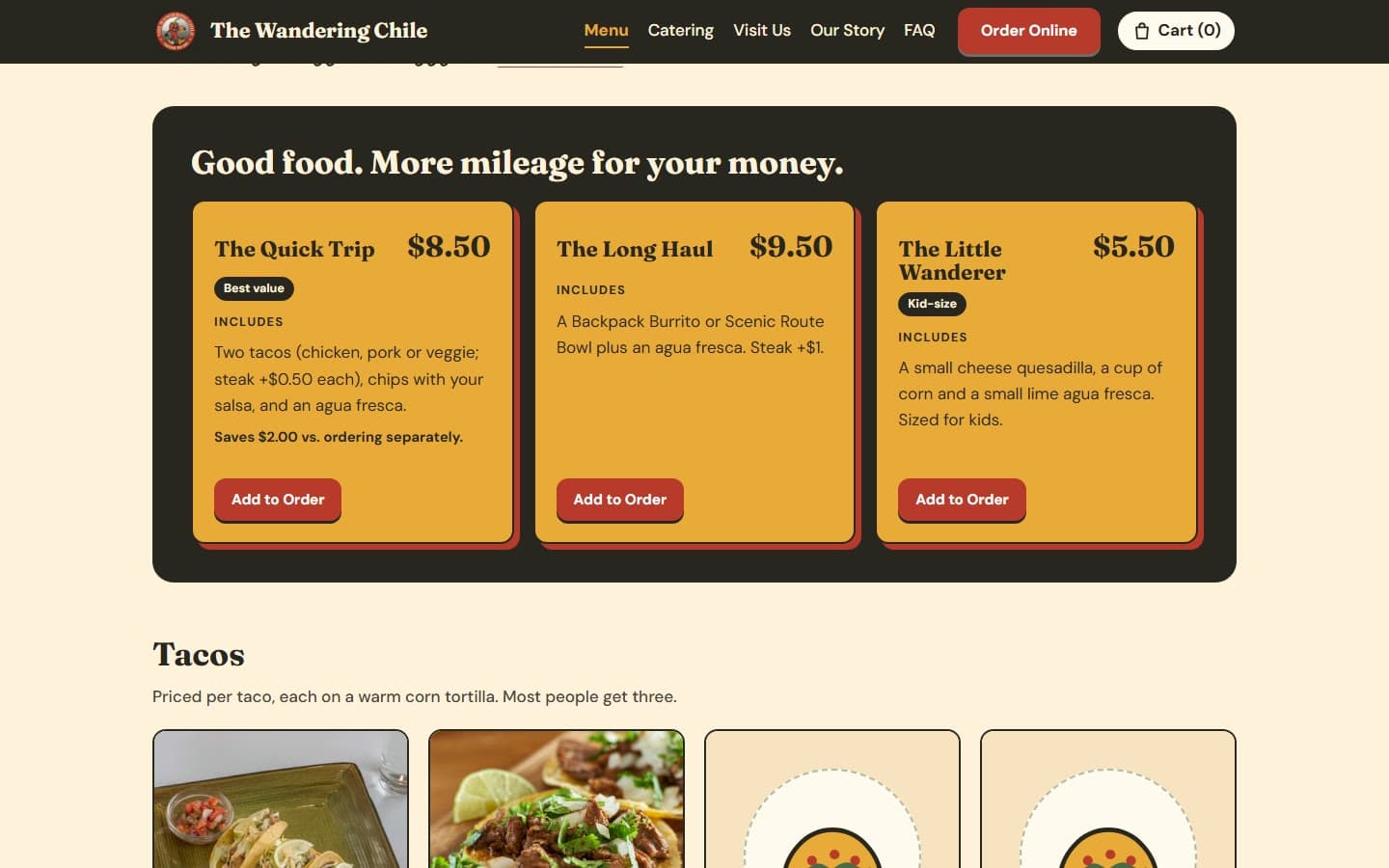
Every dish name, description and price, a meal-deal section, and a heat guide so customers know what “hot” means before they order.
Online pickup
Pick a dish, choose the protein and heat, add it to the cart and pick a time. Orders wait on a shelf by the door with the customer’s name on them.
Catering and story pages
A catering page with packages and an inquiry form, a visit page with directions and the neighborhood, and an Our Story page starring the mascot as a made-up founder.
Built for phones
Designed on a phone screen first, since that’s where a pickup order gets placed.
Try it yourself
Place an order. It takes a minute.
Add a Quick Trip combo and pick your heat
Change the pickup time in the cart
Fill out the catering form (nothing is sent)